Welcome to techytweaks..

Welcome to techytweaks. Hope you enjoy.

TechZone on techytweaks.

Get updated with the Latest Tech-Tweeks with techytweaks.

Need any Support/Help?

Need help? Got a thing for us?

Follow us!

Follow us on Social Networking sites...

Now follow techytweaks via Mobile!

Enjoy the mobile version of techytweaks now! Stay updated!

ADVT

How to send Fake or Anonyomous Email

Below is list of 4 Fake email service that allow you to send fake email to anyone .This service is maily used to prank yours friends and relatives ,you can prank by sending mail  on name of any website or Institute  like orkut@orkut.com or any other email id,Try it and Enjoy !:P 


  • FakeMailer.Info – Helps you to send Fake eMails and Prank your Friends! You Can Enter any sender Name-Email you want and scare your Friends About their bills,Notice About their illegal internet activity or anything else you may want! Dont Forget To phone them after to tell that is just a prank
  • .
  • Anonymailer.net – Is the most trusted anonymous email service that send anonymous email every day over hundreds of free anonymous emails are sent from this website,  You can use whatever e-mail address you like as a reply address.
  • Deadfake -Use this web to send an email to whoever you want. You can make it looks like it’s coming from anyone you like. Just fill in the form and  press send.
  • Fakemymail is another Fake email service that send fake email this service allows you to send free prank emails   to your friends and family. Send prank emails and fake emails to anyone you want for a funny email prank anytime of day or night.
  • AnonymousSpeech.com is a Professional provider for secure anonymous email, Here you need to create account to use this service.
Note: X-( By sending a fake email or prank email you may be committing the offence of fraud even you did not intend to. You are not allowed to use this service for any illegal activities at any time.All above r fake email service is not liable for your emails you send at any time. :-|


Google Gravity-Have fun!

Google Gravity is a Google Chrome experiment that initially loads a typical Google home pageand then suddenly the elements are pulled down by gravity and you can start tossing them around!
This only works 100% in Google Chrome. If you run the page on Firefox, you won’t get the satisfaction of tossing the elements around!

Follow these Steps:
1). Open google.com.
2). Type Google gravity.
3). Click on I'm Feeling lucky.
have fun!!!

Transform your Windows XP in to Windows 7

If you are using Windows XP and want to experience Windows 7 without installing then here is Seven Remix XP transformation pack to transform Windows XP to Windows 7.With this simple app you can make your XP look like Windows 7 in just few clicks. It supports Windows XP, Windows 2003, Windows Media Center Edition and some other flavors of XP. Will work with only 32 bit edition of Windows.
Just download it and install .
Download Seven Remix XP and transform your windows xp .


Remove Annoying delete Confirmation Messages in windows

 
Although not strictly a performance tweak I love this fix as it makes my machine 'feel' faster. I hate the annoying 'are you sure?' messages that XP displays, especially if I have to use a laptop touchpad to close them. To remove these messages:

1. Right-click on the 'Recycle Bin' on the desktop and then click 'Properties'

2. Clear the 'Display Delete Confirmation Dialog' check box and click 'Ok'

If you do accidentally delete a file don't worry as all is not lost. Just go to your Recycle Bin and 'Restore' the file.

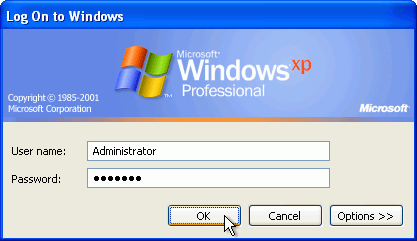
How to "Delete administrator Password" without any software


Boot up with DOS and delete the sam.exe and sam.log files from Windows\system32\config in your hard drive. Now when you boot up in NT the password on your built-in administrator account which will be blank (i.e No password). This solution works only if your hard drive is FAT kind.

Method 2

Step
1. Put your hard disk of your computer in any other pc .Step 2. Boot that computer and use your hard disk as a secondary hard disk (D'nt boot as primary hard disk ).Step 3. Then open that drive in which the victim’s window(or your window) is installed.Step 4. Go to location windows->system32->configStep 5. And delete SAM.exe and SAM.log
Step 6. Now remove hard disk and put in your computer.
Step 7. And boot your computer :-)