Welcome to techytweaks..

Welcome to techytweaks. Hope you enjoy.

TechZone on techytweaks.

Get updated with the Latest Tech-Tweeks with techytweaks.

Need any Support/Help?

Need help? Got a thing for us?

Follow us!

Follow us on Social Networking sites...

Now follow techytweaks via Mobile!

Enjoy the mobile version of techytweaks now! Stay updated!

ADVT

Showing posts with label OPERATING SYSTEMS. Show all posts

Get rid of Windows 10 Updates forever

Windows Updates can be very annoying.
First, let us take a look why people may want to turn off Windows updates.
With Windows 8.1 and earlier versions, we had Windows Update giving us options to:
  1. Install updates automatically (Recommended)
  2. Download Updates but choose when to install them
  3. Check for updates but let me choose whether to download and install them
  4. Never check for updates (Not Recommended)
These options provided a way to defer updates until we had enough time to download and install them or to have them downloaded automatically and then install them at a time we wish. 


Microsoft has explained that it will provide updates in two distinct methods for its two distinct types of clients.
First are the home users who will not have the option to defer upgrades. The updates will download and install even if they are working on something, making the computer slow in some cases. The PC however would restart only if you are not doing anything or it would restart at the scheduled time, if you have etone. Where a reboot would be required, the user might have to save his or her work and then reboot before going back to the work he or she was doing. Of course, Windows 10 will let you defer restart, but that is not enough because a download in background might slow down your browsing in some cases.
The other ring of users are the enterprise users who will have the option to delay updates, so that they can hold it to the time when they are free. Microsoft said it will push updates to such users less frequently, so that they are faced with a minimum down time. These are the corporates and real-time users such as hospitals and ATMs etc.
Coming back to Home users and Professional users, there is not even the option to delay the updates. They will be downloaded as soon as they are available. Availability of Windows Updates for normal users means that the updates have already been tested by Windows Insiders. If you are a Windows Insider, running Windows 10 Home or Pro, you will be in first priority to receive updates. After few days of you testing the updates and if it doesn’t pose any problems, it will be released to the normal ring of users.
Thus, you are stuck. Windows 10 will keep on downloading updates as soon as they are available and will occupy your computer resources, when you may not want it too. Some of us will want to keep the automatic downloads to be stopped so that we can install the updates manually when free – when we are not working on something urgent. That is to say, some users would want the liberty and option to download and install updates when they want and not when Microsoft provides it.

We won't make you wait again,Now lets move on to the procedure for blocking windows update!
  • Goto :Control Panel > Administrative Tools, you can access Services
  • In the Services window, scroll down to Windows Update and turn off the process. To turn it off, right-click on the process, click on Properties and select Disabled. That will take care of Windows Updates not being installed on your machine.

Bonus: If you are already see 'Install Updates and Shutdown' on your shutdown menu, You can delete these downloaded updates by following the steps below:
  • Go to This PC and open the partition you have your Windows installed on (it’s usually C:)
  • Go to Windows folder
  • In Widows folder, ind folder named Softwaredistribution and open it
  • Open sub-folder Download and delete everything from it (you might need an administrator permission)

Microsoft Windows Vista (SP2) Final

Description:
The package provides customer and partner feedback driven fixes into a single service pack, minimizing deployment and testing complexity.


The Windows Vista Service Pack 2 (SP2) package provides customer and partner feedback driven fixes into a single service pack, minimizing deployment and testing complexity. In addition to all previously released updates, SP2 will contain changes focused on addressing reliability and performance issues, supporting new types of hardware, and adding support for several emerging standards.

SP2 Standalone updates for computers with one or more of the following five languages: English, French, German, Japanese, and Spanish. If your computer has any other language installed this option will not work.

Requirements:
· Administrator Rights.
· Microsoft Windows Vista Service Pack 1 (SP1).

SIZE: 348 MB.
TYPE:SERVICE PACK 2 (SP2) X86(32BIT).
DOWNLOAD

SIZE
: 577 MB.

TYPE:SERVICE PACK 2 (SP2) X64 (64BIT).
DOWNLOAD

Google Operating System (2010-ANDROID)


Live Android lets you download a disk image LiveCD operating system Google Android. Just
record the image on the disc, placing it in the CD-ROM drive and restart your computer and
you can test Android, without installing it and not touching any files on your computer.
Language: English
File: ISO
Size: 172.46 Mb
Checksums
MD5 E0C5C305F78CD958DBAEA3716C8229 6F
SHA-1 741B42748666AC085FC12692AC6AFB 369B002A2E
CRC32 EEDBFF00

DOWNLOAD:
http://uploading.com/files/7ea519f3/mp3kap.net.liveandroidv0.3.iso.001
http://uploading.com/files/653f1afb/mp3kap.net.liveandroidv0.3.iso.002

Windows XP Corporate Student Edition SP3

Framework all in one 1.1 - 4.0
Internet explorer 8
Windows media player 11
Directx 9 June 2010
Lclock 1.62b
Flash 10.1.85.3
Shockwave 11.5.8.612


Java 6 update 22
Foxit Reader 4.2
Winrar 3.93 regged
Firefox 3.6.10
Vlc media player 1.1.4
Kels runtimes 6.8.2
c++ 2005
c++ 2008
c++ 2010
Msn.Live.Messenger.9.0.14.0.8117.41


DOWNLOAD!


Hotfile
http://hotfile.com/dl/76979647/71e745b/XP.SP3.C.part1.rar.html
http://hotfile.com/dl/76980094/418e8b1/XP.SP3.C.part2.rar.html
http://hotfile.com/dl/76980544/7e7b7fa/XP.SP3.C.part3.rar.html
http://hotfile.com/dl/76981025/d833aa2/XP.SP3.C.part4.rar.html
-=-=-=-=-=-=-=-=-=-
FreakShare
http://freakshare.com/files/52l3dgl8/XP.SP3.C.part1.rar.html
http://freakshare.com/files/k3msz3ix/XP.SP3.C.part2.rar.html
http://freakshare.com/files/oxcjvq3x/XP.SP3.C.part3.rar.html
http://freakshare.com/files/kzablatb/XP.SP3.C.part4.rar.html
-=-=-=-=-=-=-=-=-=-
Fileserve
http://www.fileserve.com/file/4cgT4aQ/XP.SP3.C.part1.rar
http://www.fileserve.com/file/3g6KX4B/XP.SP3.C.part2.rar
http://www.fileserve.com/file/H6mntD8/XP.SP3.C.part3.rar
http://www.fileserve.com/file/UcFuzXB/XP.SP3.C.part4.rar
-=-=-=-=-=-=-=-=-=-
FileSonic
http://www.filesonic.com/file/25995703/XP.SP3.C.part1.rar
http://www.filesonic.com/file/25995751/XP.SP3.C.part2.rar
http://www.filesonic.com/file/25995303/XP.SP3.C.part3.rar
http://www.filesonic.com/file/25994895/XP.SP3.C.part4.rar
-=-=-=-=-=-=-=-=-=-
Easy-Share
http://www.easy-share.com/1912679669/XP.SP3.C.part1.rar
http://www.easy-share.com/1912679671/XP.SP3.C.part2.rar
http://www.easy-share.com/1912679670/XP.SP3.C.part3.rar
http://www.easy-share.com/1912679649/XP.SP3.C.part4.rar
-=-=-=-=-=-=-=-=-=-
Rapidshare
http://rapidshare.com/files/425967102/XP.SP3.C.part1.rar
http://rapidshare.com/files/425967573/XP.SP3.C.part2.rar
http://rapidshare.com/files/425967114/XP.SP3.C.part3.rar
http://rapidshare.com/files/425966580/XP.SP3.C.part4.rar

Windows Xp WinStyle Moonlight


Windows Xp WinStyle Moonlight SP3 (2010) | 685 MB


Information:
* Core OS: Windows Xp Sevice Pack 3 x86 (32 bit).
* Support SATA: Yes.
* Support RAID: Yes.
* Support SCSI: Yes.
* Internet Explorer 8: Yes.
* Windows Media Player 11:
Yes. * Hotfixes: (Upto 05/2010).
* Update online: Yes.
* CD Key: Added.
* Image: Standard ISO.
DOWNLOAD:
PART-1


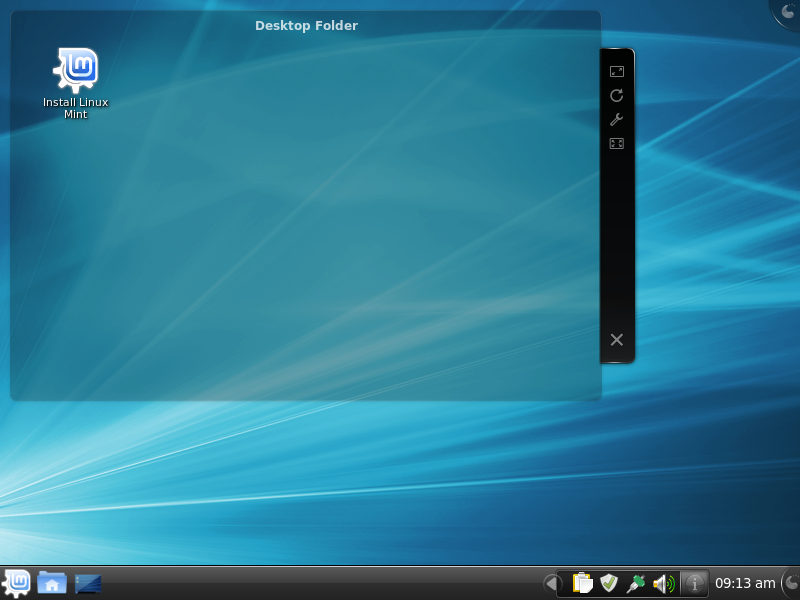
Linux Mint 9 KDE


Linux Mint 9 KDE
New features at a glance:
For a complete overview and to see screenshots of the new features, visit: “What’s new in Linux Mint 9 KDE“.
Known problems:
  • Splash screen resolution
  • Moonlight
  • Two kernels (amd64 version)
  • Browse C:\
  • Upstream issues
To get more information about these problems and their solution, read the “Known problems” section of the release notes
System requirements:
  • x86 processor
  • 512 MB of system memory (RAM)
  • 5 GB of disk space for installation
  • Graphics card capable of 800×600 resolution
  • DVD drive or USB port
Upgrade instructions:
  • To upgrade from a previous version of Linux Mint follow these instructions.
  • To upgrade from Linux Mint 9 KDE RC, simply apply any level 1 and 2 updates (if any) available in the Update Manager.
Download:
Linux Mint 9 KDE is available in 32-bit and 64-bit as a liveDVD, via Torrent and HTTP download:
Enjoy!
We look forward to receiving your feedback. Thank you for using Linux Mint and have a lot of fun with this new release!