Welcome to techytweaks..

Welcome to techytweaks. Hope you enjoy.

TechZone on techytweaks.

Get updated with the Latest Tech-Tweeks with techytweaks.

Need any Support/Help?

Need help? Got a thing for us?

Follow us!

Follow us on Social Networking sites...

Now follow techytweaks via Mobile!

Enjoy the mobile version of techytweaks now! Stay updated!

ADVT

Best Gadgets of 2010-Smart Phones

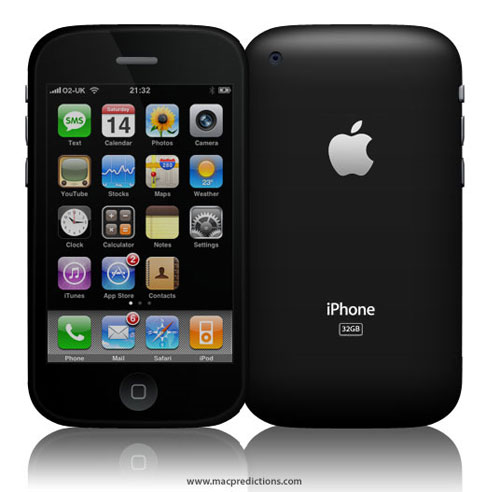
iPhone 4:
The Wonder phone with Retina display, facetime,excellent camera in a super Compact from factor, AMAZING!


HTC desire:
HTC has made a name for itself as a leading vendor of Android Phones,and the Desire is possibly the best yet.
The large 3.7 inch screen and HTC's Sense user interface all add into a potential rival for Apple's i-Phone.
However, the device does have one or two minor drawbacks


Samsung Wave:
The First handset with BADA OS.Super AMOLED screen,1GHz processor and ultra responsive capacitive touchscreen make it a smart buy.


Blackberry Bold 9700:
Undoubtedly Bold 9700 sports the best QWERTY keypad on earth.The smart Interface, ultra secure and smart form factor win millions of hearts.


Samsung Galaxy S:
Samsung has outdone itself with the Galaxy S,producing one of the Best Smartphones in the Market.With excellent features and a more than reasonable price,this handset should be on the shortlist for those looking for an high-end Smartphone.

Best Gadgets of 2010-Displays

BenQ G922HDL:
G922HDL is a choice for any user who wants superior performance at a good price.


ASUS VH202D:
ASUS VH202D is as good choice.We were impressed with the performance.The monitor can play 720p videos.Rugged build quality is an add-on..

Samsung P2370MS:
Samsung P2370MS is super slim monitor with plethora of connectivity ports and impressive picture quality.


Samsung 2233SW Plus:
Samsung's Sync Master 2233SW may Lack HDMI connectivity, but this LCD monitor remains a great choice for home and office.Thanks to stylish design and great Image Quality. 


BenQ G2420HD:
The G2420HD is a smart 24 inch Monitor that offers true value for money.


Filter Web Sufring With Webwasher-Remove ads,scripts and Animations Form the Webpage

Most of websites displays lots of advertisement banners, pop up ads, animation etc. If you don't like these ads n all then you can remove all these undesirable things.it's really irritating.

Webwasher is a proxy server application which allows user to filter out undesirable content that user specify, including ads, animations, scripts and more. It provides user a basic interface, made up of basic checkboxes with a few option windows. Click in front of check boxes which you want to filter out.

Pop-ups, misdirected URLs, large images, scripts, and animations can be easily set to not display. It also crush cookies. It can also be used to block some websites. It provides user a secure and safe search.

Webwasher is freely available on internet for personal use. However, you need to purchase it for using in enterprise(bussiness purpose).
Click here to Download Webwasher

Samsung Galaxy Player Will Be Shown At CES 2011


http://www.gottabemobile.com/wp-content/uploads/Samsung-Galaxy-Player.jpg
Samsung has announced a new Android-based Galaxy Player that will be showcased next week at the CES 2011. Samsung says the new music player takes inspiration from its successful Galaxy S phone without the cellular connectivity. This player is rumored to be the main competitor to the ipod touch and it also supports Gmail, Youtube, Google search and Google maps.
The 9.9mm thick Galaxy Player (YP-GB1) runs on Android 2.2 Froyo OS and features a 1GHz CPU, 4-inch Super Clear LCD screen supporting up to WVGA resolution (800×480), T-DMB, SoundAlive audio enhancing technology, Wi-Fi, Bluetooth 3.0, 3.2MP rear camera with front facing camera for video calling, GPS, HD video playback, microSD card slot, Android Market and Samsung Apps access and a 1200mAh removable battery. The front facing camera is VGA. The Samsung Galaxy Player will come in 8GB, 16GB and 32GB storage capacities.

Get Rid Of "Recycle Bin" Icon

If you Don't want Recycle Bin Icon in Desktop and If you want to Get rid of the "Recycle Bin". Simply follow these steps... Simply follow these steps..


To edit the computer registry, first you should log onto your computer with administrative rights.
Run Regedit and go to:
HKEY_LOCAL_MACHINE/SOFTWARE/Microsoft/Windows/CurrentVersion/explorer/Desktop/NameSpace
Click on the "Recycle Bin" string in the right hand pane. Hit Del, click OK..
Now close the registry editor and restart your computer so that Changes can Take Effect.